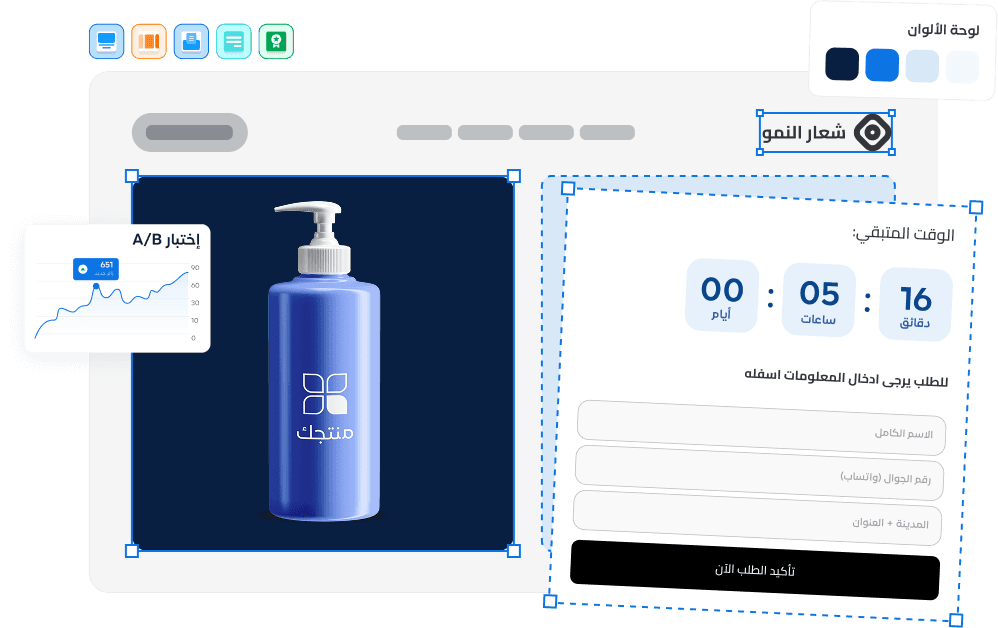
What Is A/B Testing and How Does It Improve Conversions?
A/B testing is a controlled experiment that compares two versions of a landing page to determine which converts better. Instead of guessing what works, you let real visitor data prove it. For Gulf market businesses where ad costs keep rising, A/B testing is the most reliable way to extract more revenue from the same traffic without spending more.
A/B Testing vs. Multivariate Testing: Which Do You Need?
Before starting, understand which testing method fits your situation.
| Criteria | A/B Testing | Multivariate Testing |
|---|---|---|
| Variables changed | One element per test | Multiple elements simultaneously |
| Traffic required | Moderate (2,000-4,000 visitors) | Very high (10,000+ visitors) |
| Setup complexity | Simple to configure and interpret | Requires statistical expertise |
| Time to results | 1-2 weeks | 4-8 weeks |
| Best for | Most businesses and campaigns | High-traffic pages with many variables |
| Learning value | Clear cause-and-effect insight | Interaction effects between elements |
For most businesses, especially those running campaigns in the Gulf market, A/B testing provides the clearest insights with the least traffic requirement. Think of it as the scientific method applied to your marketing.
What to Test First: The High-Impact Priority List
Not all page elements carry equal weight. Start with the changes that move the needle most.
Priority 1: The headline
The headline determines whether visitors stay or leave within five seconds. Test:
- Benefit-driven vs. feature-driven headlines
- Question vs. statement formats
- Short and direct vs. longer and descriptive approaches
- Headlines with numbers or specific outcomes
For Gulf audiences, test whether formal Modern Standard Arabic or a conversational tone performs better. See our landing page copywriting guide for headline writing strategies.
Priority 2: The call-to-action (CTA)
Your CTA button is where the conversion happens. Test:
- Button text -- "Get Your Free Quote" vs. "Start Now" vs. "Book Your Consultation"
- Button color and size -- contrasting colors vs. brand-matching colors
- Button placement -- above the fold vs. after benefits section
- Single vs. repeated CTA at multiple scroll points
According to HubSpot's CTA research, personalized CTAs convert 202% better than default versions.
Priority 3: Hero section layout
Test image vs. video, product photo vs. lifestyle photo, and hero with form vs. hero with CTA button only.
Priority 4: Social proof placement
Trust is critical in Gulf markets. Test testimonials with photos vs. without, star ratings vs. written reviews, and badge placement near the CTA vs. in a separate section.
Testing priority summary
| Priority | Element | Expected Impact | Traffic Needed |
|---|---|---|---|
| 1 | Headline | High (10-30% lift possible) | 2,000-4,000 visitors |
| 2 | CTA button | High (5-20% lift possible) | 2,000-4,000 visitors |
| 3 | Hero section | Medium-High (5-15% lift) | 3,000-5,000 visitors |
| 4 | Social proof | Medium (3-10% lift) | 3,000-5,000 visitors |
| 5 | Form design | Medium (5-15% lift for lead gen) | 2,000-4,000 visitors |
How to Set Up an A/B Test Properly
Running a valid test requires discipline. Here is the process that separates useful tests from wasted effort.
Step 1: Write a hypothesis
Before touching anything, document what you expect and why.
Good example: "Changing the CTA from 'Learn More' to 'Get Your Free Quote in 60 Seconds' will increase form submissions by 15% because it adds specificity and urgency."
A strong hypothesis has three parts: what you are changing, what you expect, and why you expect it.
Step 2: Change one element only
Duplicate your existing page and modify the single element. Everything else stays identical -- traffic source, time of day, audience targeting, and every other page element.
Step 3: Split traffic 50/50
Send half your traffic to version A and half to version B. The split must be random. Do not send morning traffic to one and evening to the other.
Step 4: Calculate sample size in advance
Use a sample size calculator before starting.
| Current Conversion Rate | Minimum Detectable Effect | Visitors Needed Per Variation |
|---|---|---|
| 2% | 20% relative improvement | ~16,000 |
| 5% | 20% relative improvement | ~6,000 |
| 10% | 20% relative improvement | ~3,000 |
| 5% | 50% relative improvement | ~1,000 |
Step 5: Run for 7-14 days minimum
This accounts for day-of-week variations. Traffic behavior on a Tuesday is different from a Friday.
Step 6: Do not peek or make changes
Once the test is live, do not stop it early. Early results are unreliable. Commit to your predetermined sample size and time frame.
Without Ouasl vs. Using Ouasl for A/B Testing
Traditional A/B testing requires technical setup that blocks many small and medium businesses from testing at all. Here is the difference.
| Aspect | Without Ouasl | Using Ouasl |
|---|---|---|
| Page duplication | Manually rebuild or clone with dev tools | One-click page duplication |
| Traffic splitting | Install third-party scripts and configure | Built-in traffic splitting |
| Analytics setup | Manually insert tracking pixels, debug errors | Native Google Analytics and Meta Pixel integration |
| Mobile testing | Test manually across devices and browsers | Every page is mobile-first by default |
| Arabic variations | Fix RTL manually for each test version | Native RTL support in every variation |
| Speed consistency | Plugin bloat may skew results between versions | Under 2 seconds for all variations |
| Result tracking | Export data from multiple tools and compare | Built-in conversion dashboard |
Ouasl removes the technical barrier. Duplicate a page in seconds, make your single-variable change, and launch both versions with traffic splitting built in. Explore pricing plans to get started.
Common A/B Testing Mistakes to Avoid
Even experienced marketers fall into these traps.
- Testing too many things at once -- If you change the headline, image, and CTA simultaneously, a positive result tells you nothing about which change worked. One variable per test, always.
- Ending tests too early -- A test with 50 conversions after three days is unreliable. Wait for statistical significance before declaring a winner.
- Ignoring mobile vs. desktop -- In the Gulf market, mobile accounts for 70-85% of ad traffic. Segment results by device type.
- Testing insignificant changes -- Changing a button from dark blue to slightly darker blue will not move the needle. Focus on meaningful differences in headlines, offers, and layouts.
- Not documenting results -- Every test teaches you something. Keep a log of dates, elements tested, hypotheses, results, and lessons learned.
- Testing without enough traffic -- If your page gets 20 visitors a day, focus on bigger changes and run tests for 4-6 weeks.
For businesses running advertising campaigns with landing pages, avoiding these mistakes is the difference between burning budget and building a conversion machine.
How to Interpret Results and Take Action
When your test reaches the required sample size, analyze properly.
Reading the numbers
If version A converts at 4.2% and version B at 5.1%, that is a 21% relative improvement. But verify with a significance calculator -- look for at least 95% confidence before declaring a winner.
Check secondary metrics
Beyond conversion rate, examine:
- Bounce rate -- are visitors staying longer on one version?
- Time on page -- are they reading more?
- Scroll depth -- are they seeing the full page?
- Cost per conversion -- the ultimate business metric
Segment the data
Break results by device type, traffic source, time of day, and geography. A headline that works for Saudi visitors might underperform with UAE visitors. For platform-specific testing strategies, read our guides on Google Ads landing pages and TikTok Ads landing pages.
Building a Continuous Testing Culture
The real value is in the habit of continuous optimization.
Compounding improvements over time
| Month | Test | Result | Cumulative Improvement |
|---|---|---|---|
| Month 1 | New headline | +12% conversions | 12% improvement |
| Month 2 | New CTA text | +8% conversions | 21% improvement |
| Month 3 | Hero video | +5% conversions | 27% improvement |
| Month 4 | Trust badge placement | +4% conversions | 32% improvement |
After four months, a page converting at 5% could reach 6.6%. For a page receiving 10,000 monthly visitors, that is 160 additional conversions per month from the same traffic. Learn more about the page elements worth testing in our high-converting landing page guide.
A/B Test Launch Checklist
Use this checklist every time you set up a new test:
- Write your hypothesis -- Document what you are changing, the expected result with a number, and the reasoning behind it.
- Verify one variable only -- Confirm that only one element differs between version A and version B.
- Set up 50/50 traffic split -- Ensure random assignment, not segmented by time or device.
- Calculate sample size -- Determine the minimum visitors needed before the test starts (at least 100 conversions per variation).
- Set the duration -- Commit to 7-14 days minimum to cover day-of-week variations.
- Configure tracking -- Verify conversion, bounce rate, and time-on-page tracking on both versions.
- Check mobile and desktop -- Ensure both versions render correctly on all devices.
- Prepare documentation -- Have your test log ready to record the date, element, hypothesis, result, and lesson learned.
- Plan the next test -- Identify the next element on your priority list before starting.
- Commit to no interference -- Do not make changes to either version during the test period.